Case study
Automated Email Attachment Filing System
Built with sample data to demonstrate the workflow.
Automatically saves email attachments into a Google Drive folder for each sender, with files renamed by date, so nothing gets lost in the inbox.
- Automatic
- Attachments saved to Drive
- 1
- Folder per sender
- 0
- Files renamed by hand
The Problem
Clients sent invoices, receipts and statements as email attachments. Files stayed buried in the inbox until someone downloaded and renamed them one by one, folders were inconsistent, and finding a document weeks later meant digging through old threads.
What I Built
Automatically saves email attachments into a Google Drive folder for each sender, with files renamed by date, so nothing gets lost in the inbox.
- Finds emails with attachments that haven't been filed yet, using a Gmail search.
- Looks for a Google Drive folder named after the sender, and creates one for new senders.
- Saves each attachment with the date and sender added to the file name.
- Labels the email Work_Saved so it's never filed twice.
Interactive demo
See it work, step by step
Step 1 of 6
Find new emails with attachments
A Gmail search picks up emails that have attachments and haven't been filed yet (no Work_Saved label), up to 5 per run.
- From
- jon@harborcpa.com
- Subject
- Q3 receipts
Hi! Attached are the receipts for Q3. Let me know if anything is missing.
Walkthrough uses sample data. Names, emails and figures are illustrative.
Screenshots
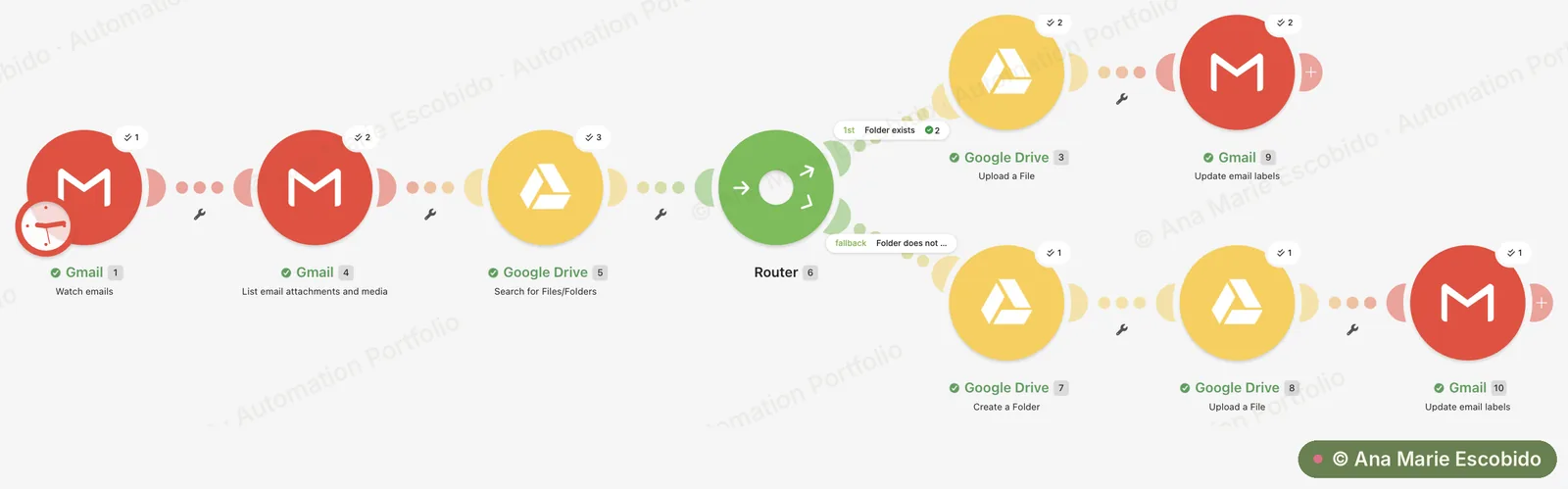
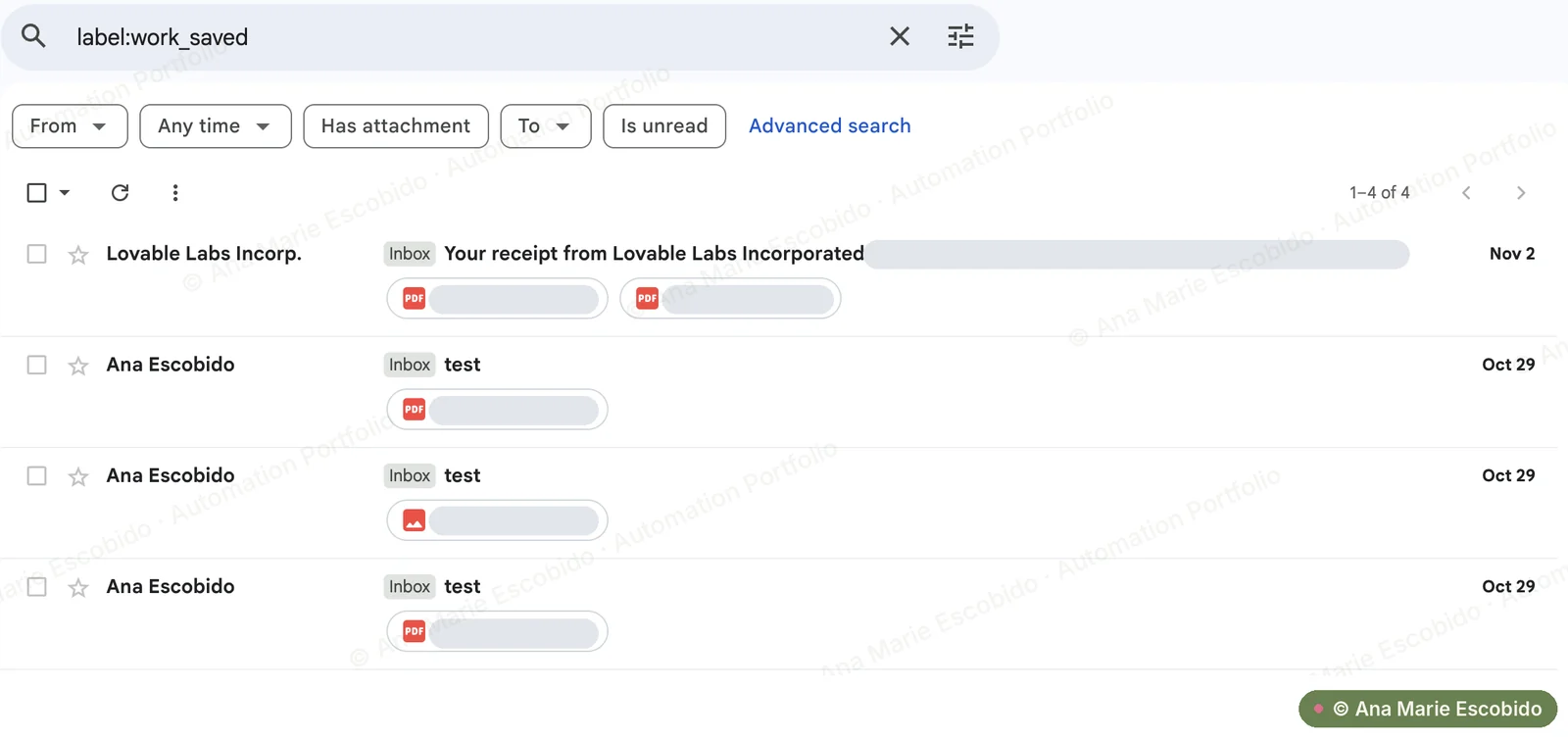
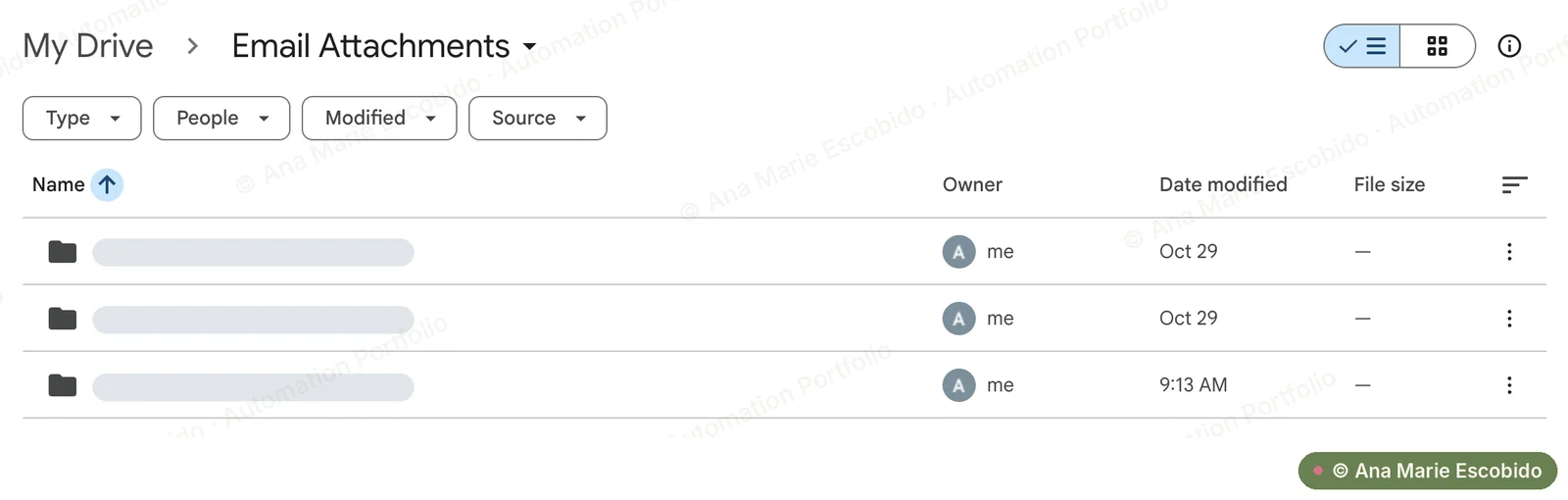
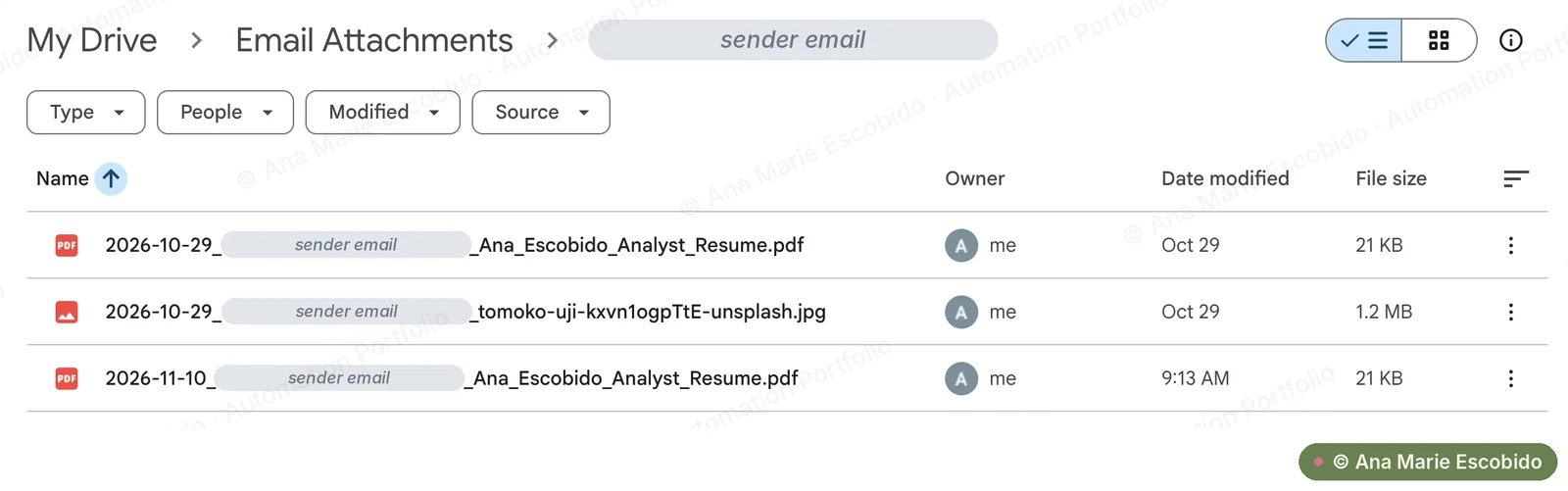
Real screenshots from a test run. Private details are hidden. Click or tap a screenshot to view it full size.
The Result
Saves an estimated 2–5 minutes per attachment that would otherwise be downloaded, renamed and filed by hand. Every document ends up in a predictable place with a dated name, so finding it later takes seconds instead of an inbox search.