Case study
Social Media Scheduler
Built with sample data to demonstrate the workflow.
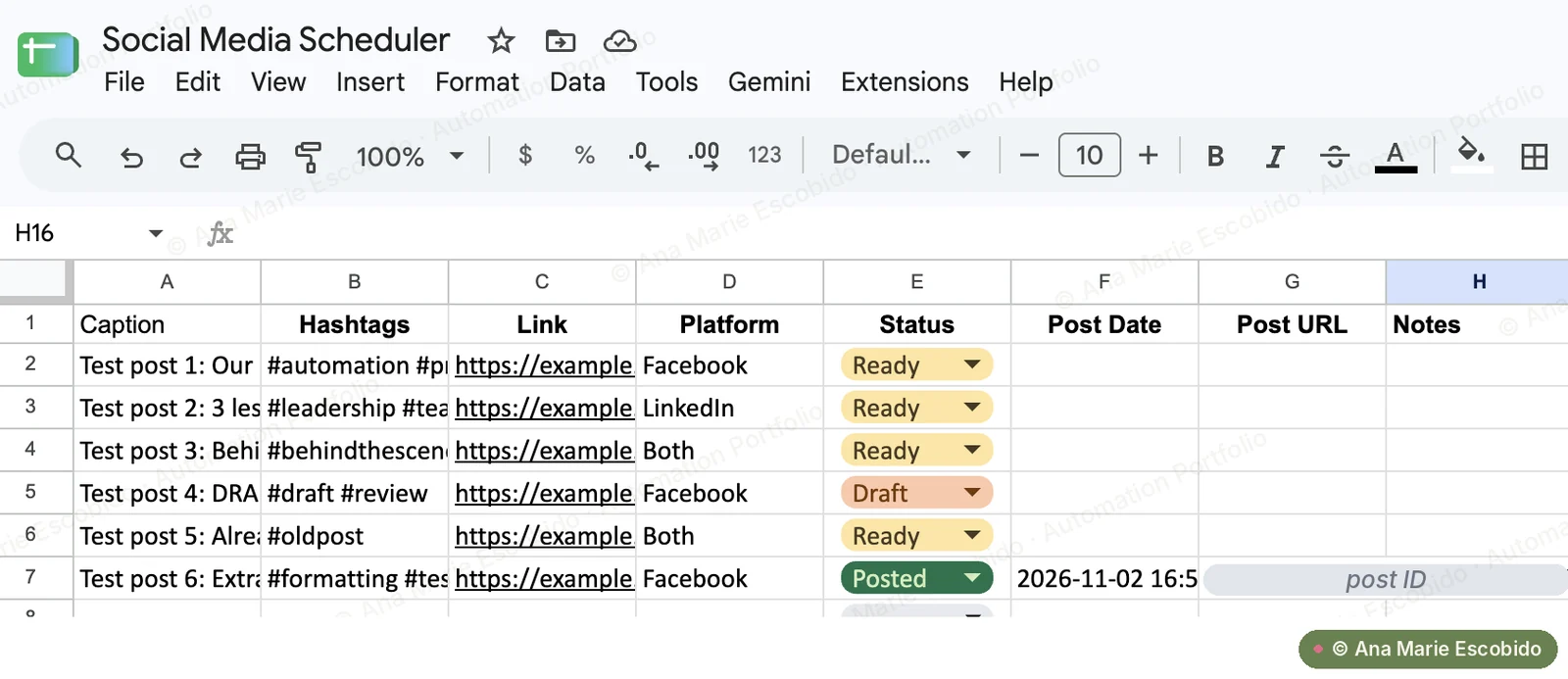
Publishes posts marked Ready in a Google Sheet content plan to Facebook, LinkedIn or both, then writes the result back to the sheet, including a Failed status and the reason if a post doesn't go through.
- 2
- Platforms from one sheet
- 0
- Captions retyped by hand
- Logged
- Every post marked Posted or Failed
The Problem
Posts were planned in a spreadsheet but published by hand, one platform at a time. Captions were retyped and hashtags or links got left off, posts went out late or not at all when the day got busy, and nobody could tell at a glance what had actually gone live or what had failed.
What I Built
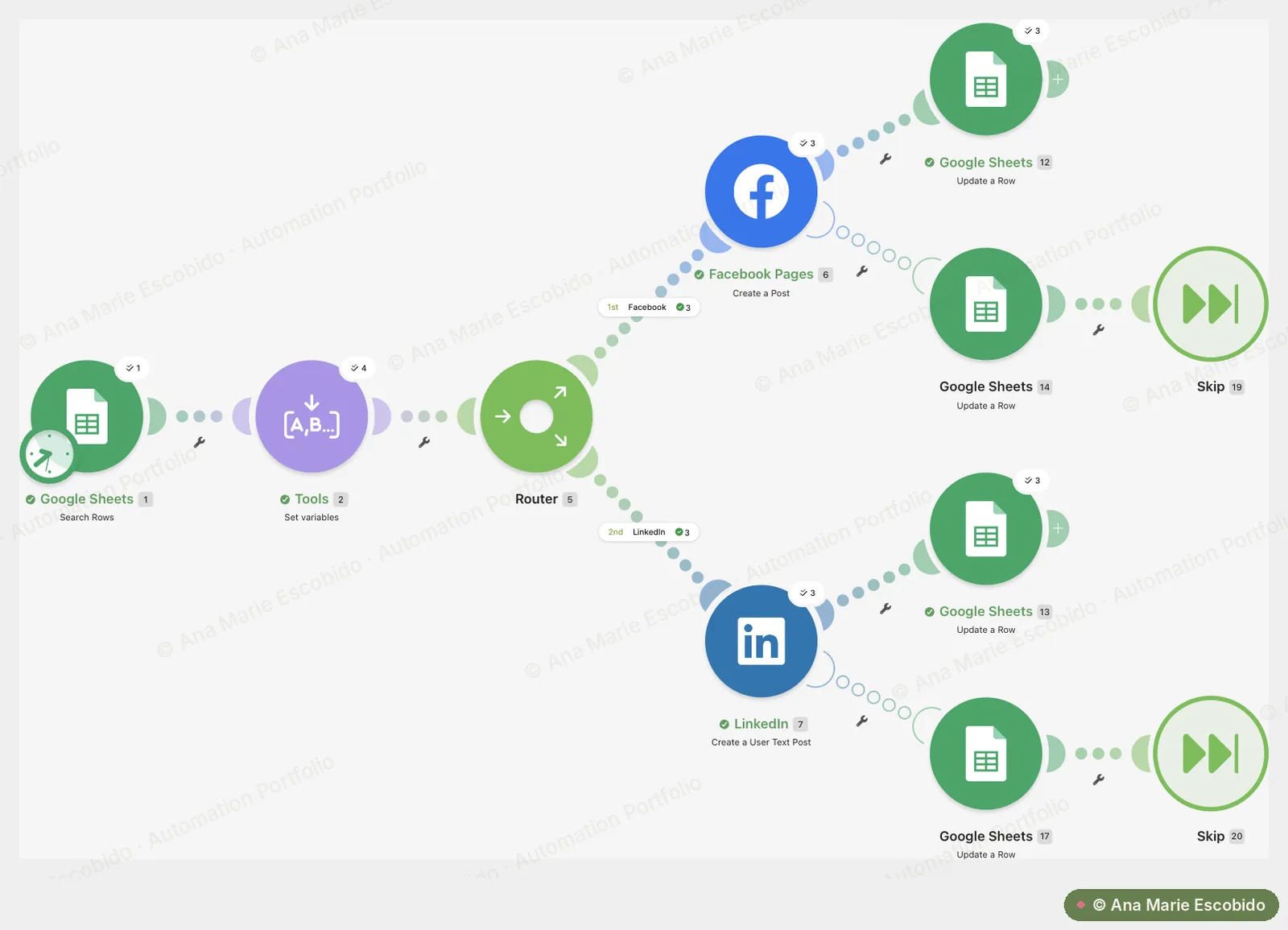
Publishes posts marked Ready in a Google Sheet content plan to Facebook, LinkedIn or both, then writes the result back to the sheet, including a Failed status and the reason if a post doesn't go through.
- Reads up to 5 posts marked Ready from a Google Sheet content plan.
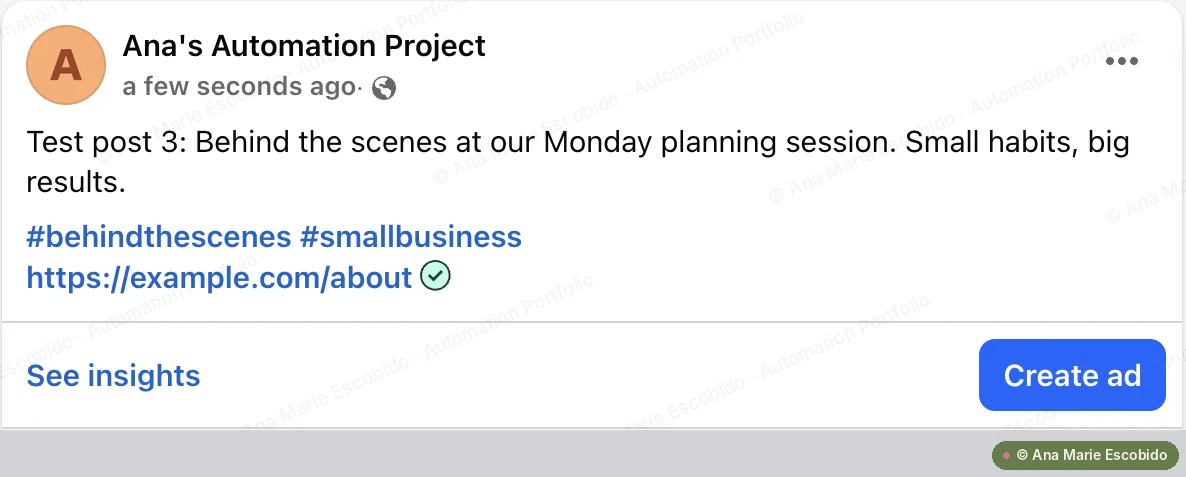
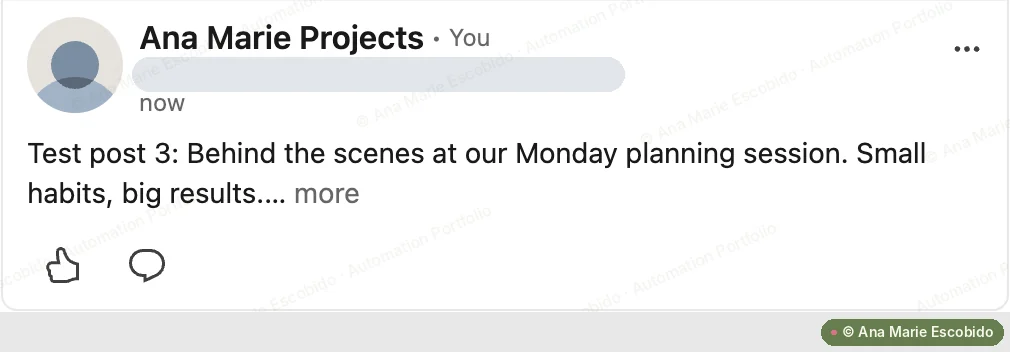
- Combines the caption, hashtags and link into one final caption.
- Routes each post to Facebook, LinkedIn or both, based on the Platform column.
- Marks the row Posted with the date and post ID, or Failed with the error, without stopping the run.
Interactive demo
See it work, step by step
Step 1 of 7
Find posts marked Ready
Posts are planned in a Google Sheet with a caption, hashtags, link and platform. Each run picks up to 5 rows whose status is Ready.
| Caption | Platform | Status |
|---|---|---|
| 5 tasks you can automate this week | Both | Ready |
| How I cut report time with Make | Ready | |
| Behind the scenes: client onboarding | Draft |
Walkthrough uses sample data. Names, emails and figures are illustrative.
Screenshots
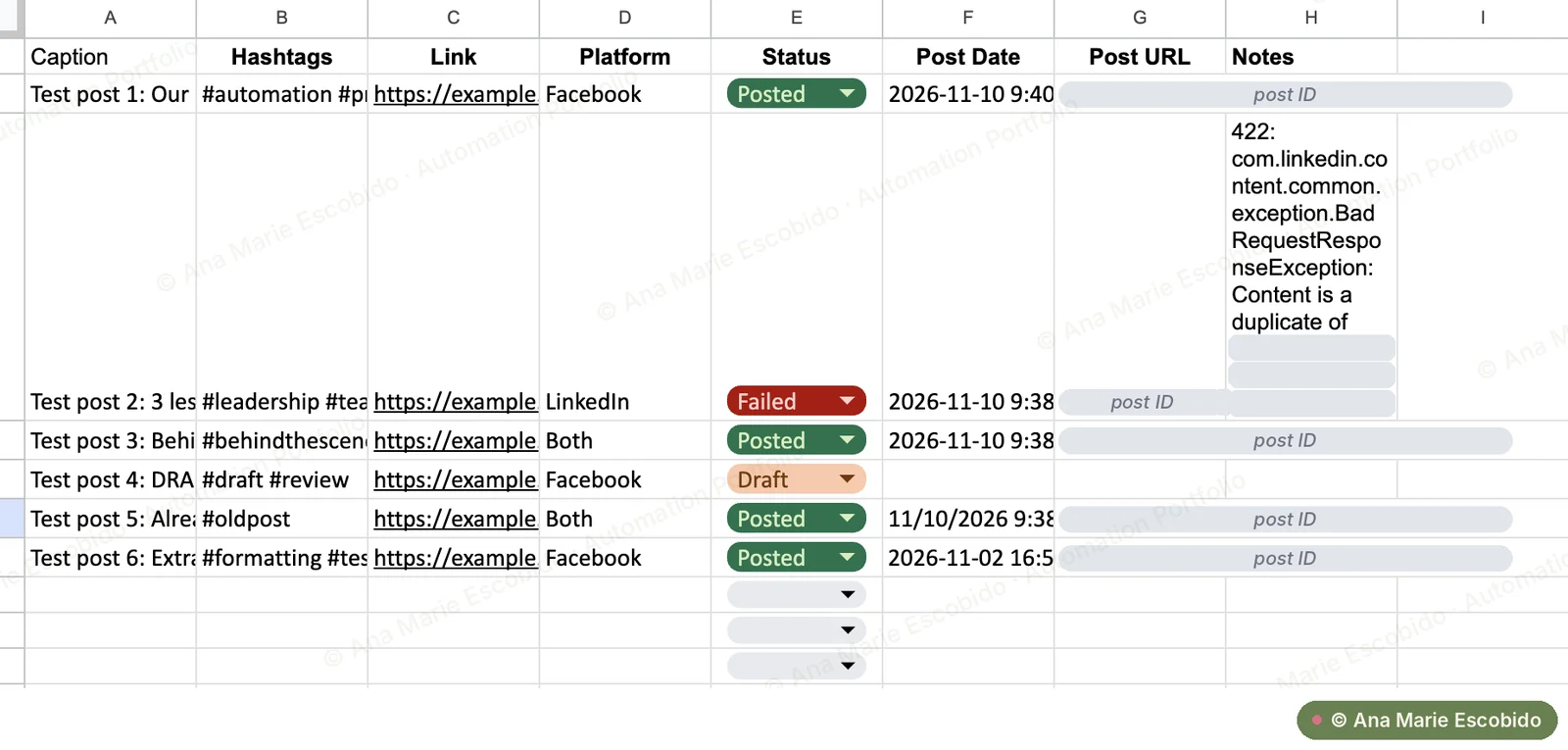
Real screenshots from a test run. Private details are hidden. Click or tap a screenshot to view it full size.
The Result
Saves an estimated 1–2 hours a week of copying captions and posting to each platform by hand. The content plan doubles as a live log, so it's always clear what went out and what needs a fix.